Business software, set up by describing it

Everything a business runs on. Three ways in.

Scheduling, memberships, checkout, payments, a real ledger, messaging, staff and automation — already built as one system. Run your business on it, move your software onto it, or start a vertical SaaS with it. Set it up by telling Beth, our AI assistant, what you need.

No demo call No developer needed Pay for what you use Cancel any time
A bright pastel modular lattice network connecting software primitives.
Three paths in

Pick the door that matches where you stand.

Same platform underneath. Each path has its own page, its own first step and its own view of the pricing.

Business owners

Run your business on it

Salons, gyms, racquet clubs, studios, restaurants, barbershops, spas, clinics, inns, music schools.

  • Online booking, checkout, customers, reminders and staff schedules in one place, sharing one customer record.
  • Describe it to Beth and see a working copy you can book into, in minutes, at its own address.
  • No monthly plan. You pay for what your business actually did.
For your business →
Software companies

Move your software onto it

You already sell software to businesses like these, and the roadmap is mostly things under the surface.

  • Keep your product. Rebuild its screens here without code, or keep them and wire the API.
  • Bring your customers over with a whole export, mapped for you and dry-run before anything is written.
  • Every feature you have not built yet becomes configuration Beth makes from a description.
For SaaS →
Founders

Start a vertical SaaS with it

You know an industry and want to sell it software. Skip the two years of platform.

  • Every customer is its own business from day one: its own data, its own credential, its own bill.
  • Build only the part that is yours. Everything under it is already there and multi-tenant.
  • You set your price. No percentage of what your customers sell.
Start a SaaS →
What it does for them

Everything a business runs on, already talking to itself.

Bookings, sales, memberships and messages all hang off the same customer record, so nothing gets out of sync. Whichever door you come through, this is what is under it. Also built: assistants a business writes for itself, answering its customers in their own message thread and on its own site.

Bookings and schedules

Appointments, classes, courts, rooms and stays. Real capacity, waitlists on courses and series, and rules for who can book when.

Checkout and payments

Ring up services, retail and tips in one place. Cards through Stripe or Finix under the business’s own account, never through us.

Customers and members

One record per person: history, preferences, memberships, households and consents. Import from a spreadsheet or a whole export.

Reminders and messages

Booking confirmations by email. Reminders, renewal notices and follow-ups by text or email once you set them up, sent only to people who opted in.

Staff

Schedules, shift swaps, a time clock and timesheets, next to the bookings they cover.

Money and reports

A real double-entry ledger, invoices, gift cards, store credit and rewards, and reports on what sold, when, and to whom.

And the parts nobody gets around to building: dynamic pricing, experiments that pick the winner, workflows that survive restarts, a ledger you can close, an assistant that sets it all up, and a gateway for AI agents with a person in the loop. The full list →


How it starts

Three steps, whichever door.

The first one takes two minutes. Software companies and founders start the same way, with one of the businesses they serve.

01

Tell Beth about the business

Yours, or one you sell to. In your own words: what it offers, its people, its hours. She asks a question or two if she needs to.

02

Beth builds the first version

Leave an email and she drafts the booking page — services or classes, prices, people, hours — the way a customer would see it. Change anything.

03

See it running, then go live

Press “See it live” and she builds a working copy at its own address, for a week, with nothing real in it. Happy? Create the account and that copy becomes the business. For a software company or a founder, it is the first customer-shaped thing your product runs.

Running it

Three ways to run one business.

Each person picks the view that suits them and can switch at any time. Same business, same records, same permissions — only how much is on the screen changes.

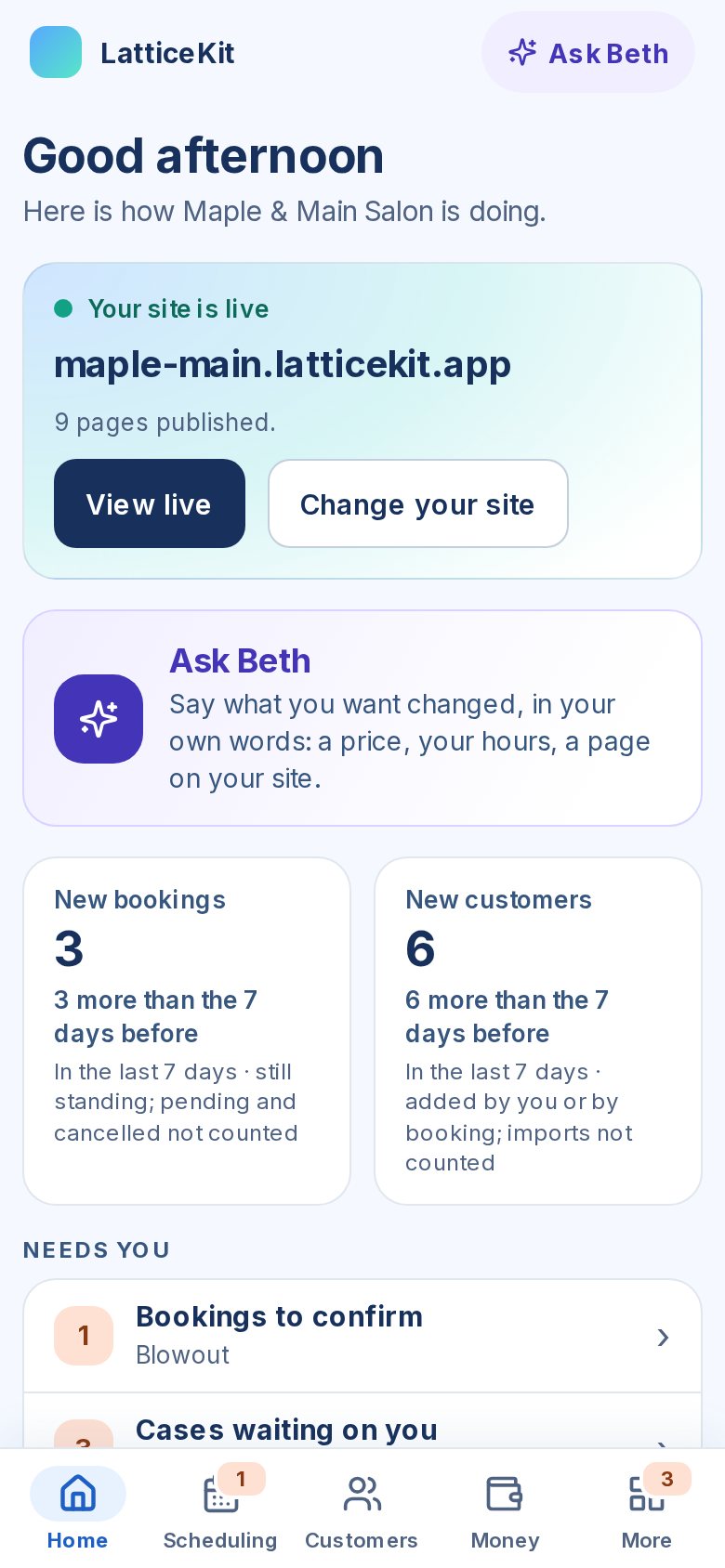
The Home view on a phone: a greeting, the business's live site, an Ask Beth card, new bookings and new customers this week, and what needs attention, with tabs for Home, Scheduling, Customers, Money and More.
Home For running the business from your phone: what needs you today, this week’s numbers, your site, and Beth one tap away.
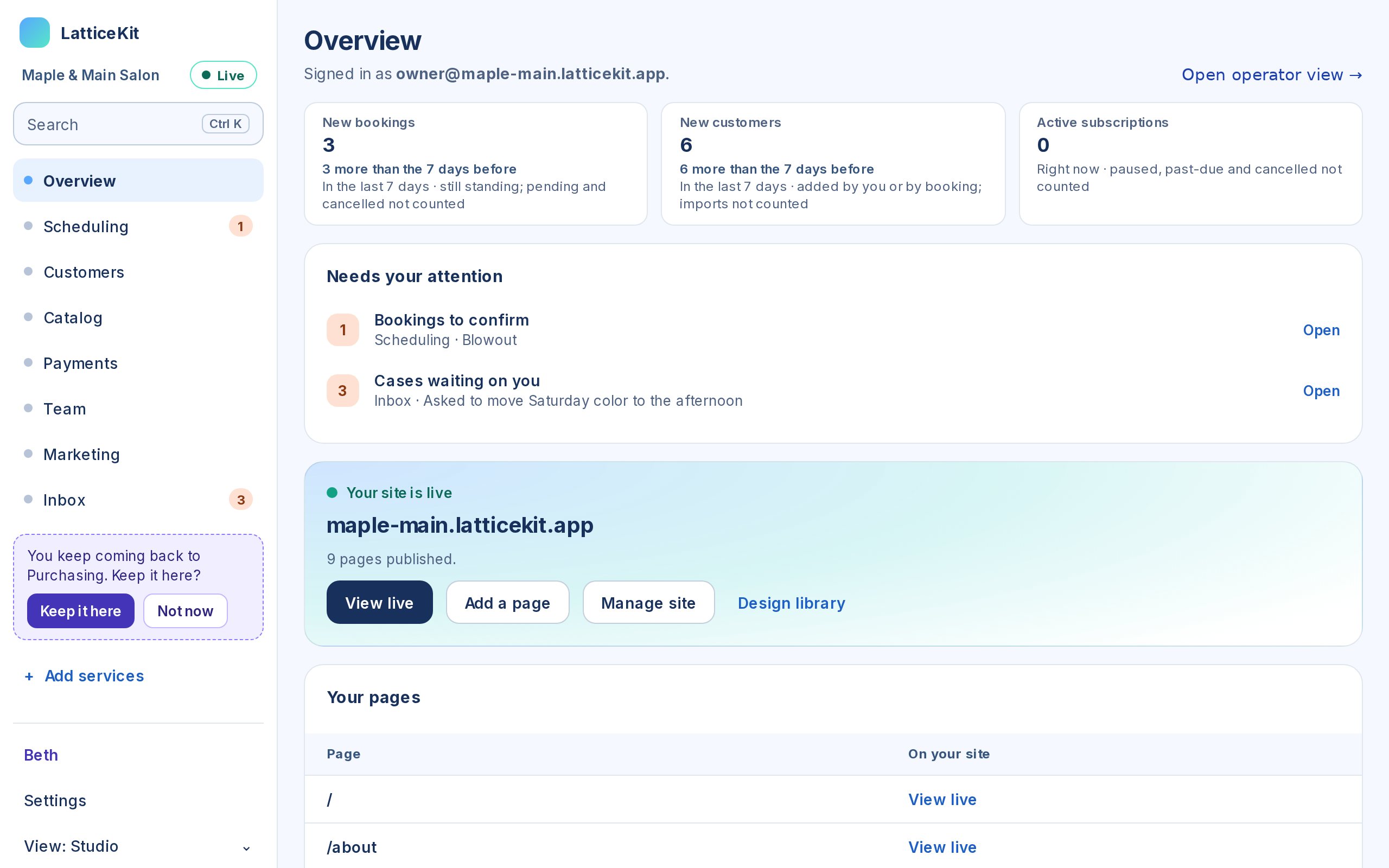
The Studio view: a short sidebar of services with counts of what is waiting, three weekly numbers, a needs-your-attention list and the live site card. The sidebar suggests pinning a service the owner keeps opening.
Studio For setting things up. The sidebar starts with a few services and grows with you: open one often and it offers to keep it there.
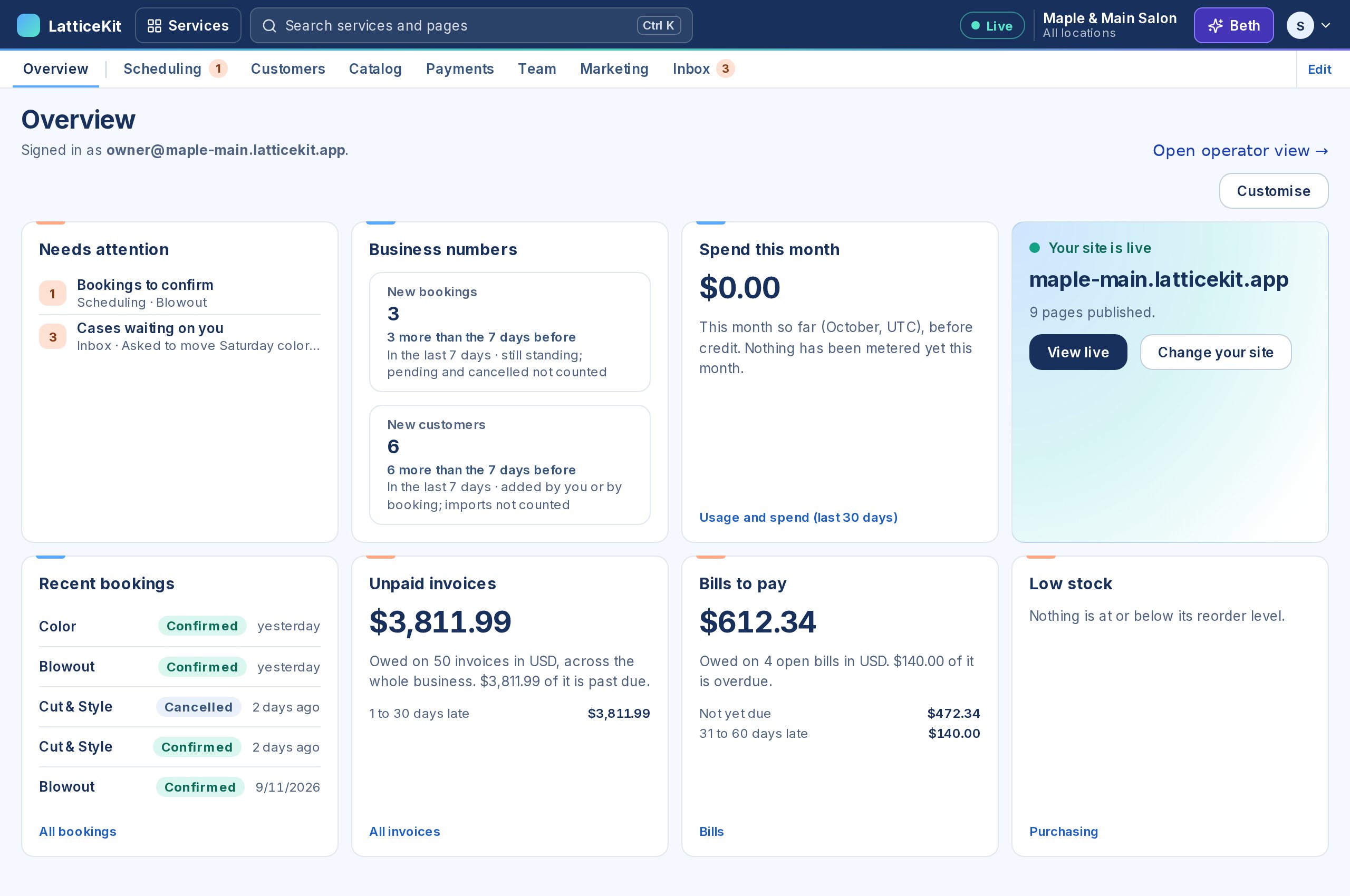
The Console view: a top bar with services and search, and a home page of widgets — needs attention, business numbers, spend this month, the live site, recent bookings, unpaid invoices, bills to pay and low stock.
Console For builders and technical people. A home page of widgets you arrange, every service one menu away, and search on Ctrl K.
Your kind of business

See it for a business like yours.

Each page shows what that kind of business gets and the days it handles for you — and opens a real one, running on LatticeKit, that you can book into right now.

Get started

Tell us how it works. We’ll build the software around it.

Two minutes to describe the business. No call, no card until you decide to create the account. Developers: the platform page and the docs are where the contract lives.